Product

One system for every meal on site — however your canteen is run.

MealPass replaces paper coupons with secure, time-bound QR access in the browser — no app to download. Offices, enterprises, campuses, and factories redeem in a scan without the misuse paper brings.

Built for Offices Enterprises Campuses Factories · coming to floor-scale rollouts
The core idea

Every employee gets a pass. Every meal gets logged.

Employees are provisioned a MealPass by their organization — a digital pass tied to their role, department, and monthly allocation. At mealtime, they open a browser link and scan the counter QR — or staff scan their pass — no dedicated app required.

No cash changes hands at the counter, no coupon booklets to print or lose, and no end-of-month reconciliation guesswork. Every redemption is logged with who, what, where, and when — giving facilities and finance teams a clean, exportable audit trail.

Live counter QR
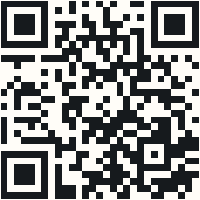
Scan this with your phone

Real QR code — opens the MealPass portal. Same idea as a canteen counter display.

Scannable MealPass counter QR

HQ Cafeteria · Lunch · John Doe demo

Product UI

Browser screens — wallet, scan, done.

Mobile web on any phone. No App Store. Ask us for a live admin portal walkthrough.

9:41Browser
MealPass
Mobile web · no install
EMP001
••••
Sign in
9:41Browser

Hi, John Doe

↻○↪
Your wallet
Breakfast8
Lunch18
Snacks12
Dinner4
▣
Scan counter QR
Camera · redeem
›
☰
A-la-carte menu
Browse today’s items
›
9:41Browser

Scan counter QR

Browser redeem
Counter QR in camera view
Redeem

Phone camera — no app store

People & roles

Users, departments, levels, staff permissions.

Allocations

Monthly quotas by designation — auto-applied.

Counter QR

Paper or rotating live display at every till.

Menus & orders

Daily menu, a-la-carte, kitchen queue.

Subsidy & reports

Consumption, demand, payroll-ready numbers.

Audit & control

Full trail, multi-branch, multi-tenant.

Who it's for

One platform, tuned to how each kind of site actually runs.

Offices

Single-building teams move off paper coupons fast, with role-based allocation and a simple counter QR.

Enterprises

Multi-department organizations get consolidated reporting, guest coupons, and subsidy tracking across cost centers.

Campuses

Multiple buildings and canteen counters run as one tenant, each with its own menu, hours, and timezone.

Factories

Shift-based sites use offline-tolerant redemption at the counter, built for the next phase of MealPass rollouts.

Educational institutions

Colleges and training centres manage student meal plans and staff allocations from the same admin portal.

Canteen operators

Third-party catering teams upload menus, track counts, and reconcile subsidy payouts against real usage.

How people redeem

Browser + counter QR — no app to download.

Everyone uses the same simple web interface. Scan and go at the till.

Counter QR

Scan at the till

Printed or rotating live-display QR. Employees open a link and scan with the phone camera.

  • Static printed code for low-traffic counters
  • Rotating live-display code for high-traffic sites
  • Works with any smartphone camera
Mobile browser

Wallet in the browser

Check balance, redeem, and order a-la-carte — no App Store install, no MDM push.

  • Wallet view of pass, balance, and history
  • A-la-carte browsing and ordering
  • Staff browser scan when Channel B is enabled
Next step

See MealPass running on your site.

We'll walk through your canteen setup and get a trial running for your organization.